

There is something strangely satisfying about taking care of an old machine.
Not replacing it, not abandoning it for something newer and faster, but instead opening it up, understanding it, and trying to give it a second life. My Dell XPS 15 9550 had reached that point. Not quite obsolete, but no longer effortless. It had started to feel its age in small, quiet ways.
Around the same time, I had just finished building what I jokingly called my “super server.” The name was exaggerated, of course, but the feeling behind it was real. It worked, it was stable, and it left me with a sense of momentum — the kind that makes you look around and think about what else could be improved.
The laptop became the obvious next step.
It wasn’t really about necessity. It was more about curiosity, and maybe a bit of stubbornness. Laptops are not designed to be upgraded in the same way as desktop machines. The processor is soldered. The graphics card is part of the board. The most important components are fixed in place, permanently. There is a certain finality to that design, as if the machine is quietly telling you: this is what I am, and this is what I will remain.
But there are always a few things left within reach.
Memory can be expanded. Storage can be replaced. Some components, like the Wi-Fi module, sit just accessible enough to invite experimentation. Those became the focus — small, practical upgrades that could still make a meaningful difference.
The memory upgrade was the most tempting. Officially, the system supports up to 32 GB. That is the number written in documentation, the number that defines the “safe” boundary. But experience has taught that these boundaries are sometimes more conservative than technical. There were enough reports of people successfully running 64 GB to make the idea difficult to ignore. It wasn’t guaranteed, but it was possible, and that was enough.
The storage upgrade, on the other hand, felt less important. The plan was simply to move from a 1 TB drive to a 2 TB NVMe SSD — not for more speed, but just for a bit of extra space. It was the same generation, the same level of performance, nothing fundamentally different. The existing drive was already doing its job perfectly well, and this laptop was never meant to store huge amounts of data anyway, so the upgrade felt more like a convenience than a necessity.
That left the Wi-Fi card — a small component, but one that had been a constant source of irritation. Under Ubuntu, the original module never felt entirely stable. Connectivity issues appeared just often enough to be noticeable, just rarely enough to be annoying rather than critical. It worked, but without confidence.
Replacing the original Broadcom module turned out to be an obvious step. It had always been a bit problematic, especially under Linux, with drivers that never felt entirely reliable. Moving to an Intel Wi-Fi card promised a much smoother experience — better support, more predictable behavior, and far fewer surprises. Compared to everything else, it felt like the simplest and most sensible upgrade to start with.
Opening the laptop had already become familiar. The back cover came off without much resistance, revealing the compact layout inside — carefully arranged, tightly packed, and slightly unforgiving. The Wi-Fi card itself was small, almost insignificant in appearance, connected by three thin antenna wires attached with delicate connectors that required careful handling.
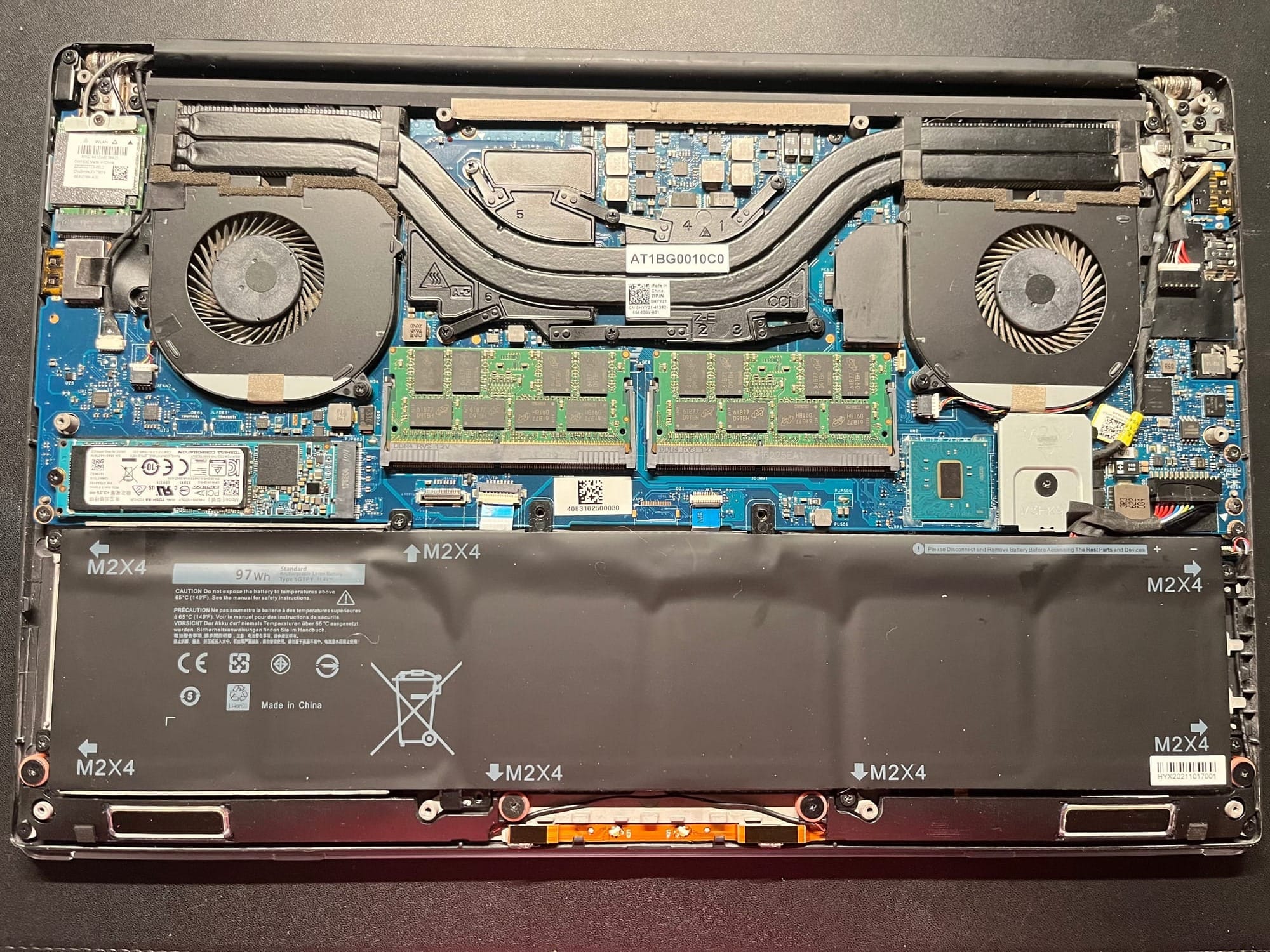
It was during the preparation for this upgrade that something subtle stood out. The replacement card had only two antenna connectors, while the original one had three. It wasn’t immediately clear whether this difference mattered. The assumption was that the third wire served an auxiliary purpose, something non-essential. That assumption, like many others in similar situations, was based more on optimism than certainty.
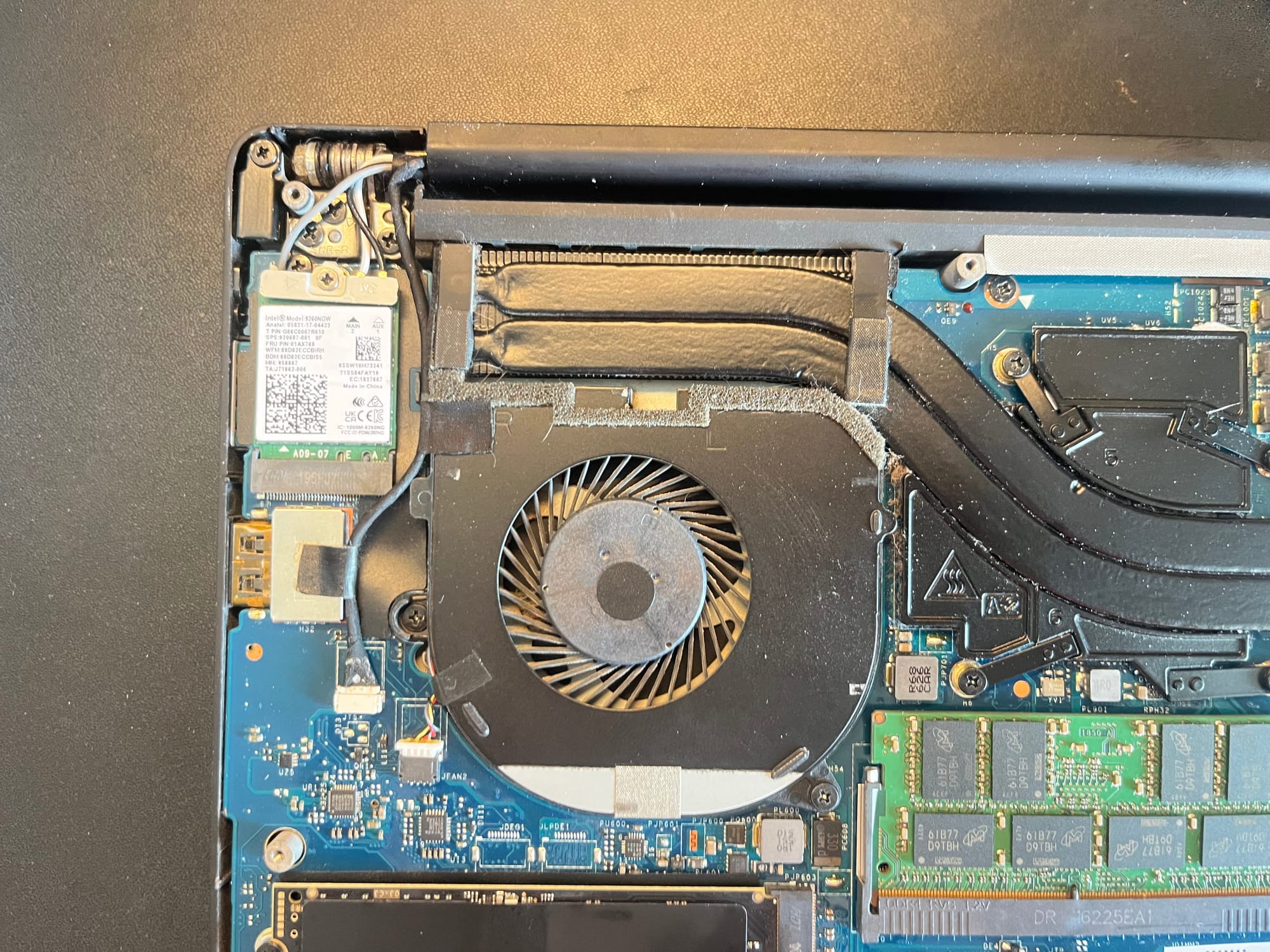
The installation itself was straightforward. The original card was removed, the new one inserted, and two of the three antenna wires — black and white — were connected without issue. The remaining grey wire was left aside, carefully tucked away to avoid interference.
Once everything was reassembled, the system was powered on again.
At first, everything seemed perfectly normal. The system booted without hesitation, just as it always had. There were no warnings, no strange delays, nothing to suggest that anything had changed. And then, almost quietly, it became clear that something had changed — just not in the way I expected.
This time, though, the story didn’t turn into a long investigation.
After a closer look, a reboot, and a bit more patience than I initially gave it, the Wi-Fi interface appeared exactly where it should have been. Stable, responsive, and — most importantly — boring in the best possible way. The kind of boring that means everything is working.
The missing third cable, the small detail that seemed suspicious at first, turned out not to matter at all. Most likely it was just a grounding or auxiliary wire, unnecessary for this particular module. The new Intel card worked flawlessly with just the two connected antennas, quietly proving that not every inconsistency is a problem waiting to happen.
What started as a cautious, slightly uncertain upgrade settled into something much simpler: a small improvement that removed an old irritation. The unreliable behavior of the original Broadcom card was gone, replaced by something predictable and stable. No drama, no surprises — just a system that behaved the way it should.
And with that, the first upgrade was complete.
The laptop remained the same on the outside, unchanged and familiar. But somewhere inside, one small piece had been replaced with something better, something more reliable. It was a quiet kind of progress, the kind you only notice when things stop going wrong.
Of course, this was only the beginning.
Next comes the more interesting part — pushing the limits a bit further. Replacing the SSD, moving from 1 TB to 2 TB, not for speed but for space. And then the real experiment: upgrading the memory beyond what’s officially supported, stepping into that uncertain territory where specifications end and curiosity begins.
But that’s a story for the next post.