

1. A Few Unexpected Days Off
Toward the end of the year, most of the world slows down for Christmas.
In my case, it wasn’t about holidays or decorations — it was much simpler and far less poetic.
I had a few unused vacation days left at work.
Those days had to be used before the end of the year, or they would simply disappear into the corporate void, never to be seen again. So I did the most responsible thing possible: I took them.
And naturally, I stayed home… playing games.
Not rushing. Not benchmarking obsessively at first. Just enjoying the fact that I finally had uninterrupted time — no meetings, no Slack notifications, no “quick questions.” Just Linux, Steam, and a system that I know inside out.
But as always, enjoyment didn’t last long before curiosity kicked in.
2. Coming Back to GameMode — With Clear Expectations
After spending quite some time earlier understanding what GameMode actually is and what it is not, I felt the itch to return to a familiar game — one with a solid, repeatable benchmark — and finally answer a simple question:
What does GameMode really do for performance and, more importantly, for how the game feels?
Right away, I want to make one thing very clear — and I’ll repeat it upfront so there’s no confusion later:
GameMode does NOT:
- magically upgrade your CPU
- replace your GPU with an RTX 5090
- double your FPS out of thin air
- perform miracles
What it does is much more boring — and much more honest.
GameMode simply applies system tweaks you could do manually yourself:
- CPU governor changes
- scheduler hints
- process priority adjustments
- optional I/O and power-related tweaks
The value is not magic — it’s automation, consistency, and correctness.
And that’s exactly why I wanted to measure it properly.
3. Why Counter-Strike 2 Was the Obvious Choice
When it comes to performance testing, choosing the right game matters more than people think.
For me, the first and most obvious candidate was Counter-Strike 2.
Why?
Because CS2 gives me what I value most in benchmarking:
- extremely predictable behavior
- repeatable performance results
- clear CPU and GPU interaction
- minimal randomness
I know this game well.
I know this engine well.
And most importantly, I know exactly what my system is capable of in CS2.
That makes it the perfect baseline.
If something changes, I will notice.
4. A Quick Reality Check: Every Game Is Different
Before jumping into numbers, there’s an important reminder worth repeating — even if it sounds obvious.
Every game stresses your system differently.
Some games are:
- heavily CPU-bound
- sensitive to scheduler behavior
- affected by memory latency
Others:
- push the GPU hard
- don’t care about CPU frequency
- barely notice system-level tweaks
This means GameMode must be evaluated per game, not as a universal truth.
A tweak that works wonders in CS2 may do almost nothing in another title — and vice versa.
And this is exactly why sweeping statements like “GameMode gives +20% FPS” are usually nonsense.
5. Setting Expectations Before Testing
Before running any benchmarks, I already had a very good idea of what I should expect.
I wasn’t looking for miracles.
I wasn’t expecting my FPS to double.
I wasn’t hoping for absurd gains.
What I was looking for:
- smoother frame pacing
- fewer sudden drops
- better consistency under load
- reduced micro-stutter
Because honestly?
That’s what actually matters when playing.
6. Test Setup Overview
Before diving into numbers, here’s the general idea of how the tests were structured.
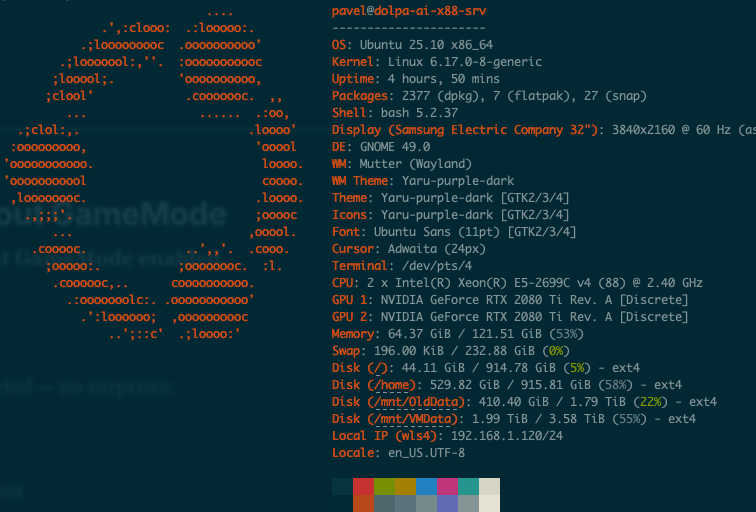
- Same system
- Same drivers
- Same Steam version
- Same CS2 settings
- Same map and benchmark run
The only variable was GameMode:
- disabled
- enabled with basic config
- enabled with custom config
- GPU fans speed
- Monitor connect
7. Baseline: CS2 Performance Tests
System Setup:
The system is in Performance mode via Ubuntu Power Mode and the CPU is in the Governor: Performance via CPU Frequesncy indicator.
Services: Ollama, Docker, and Dropbox are stopped for all tests.
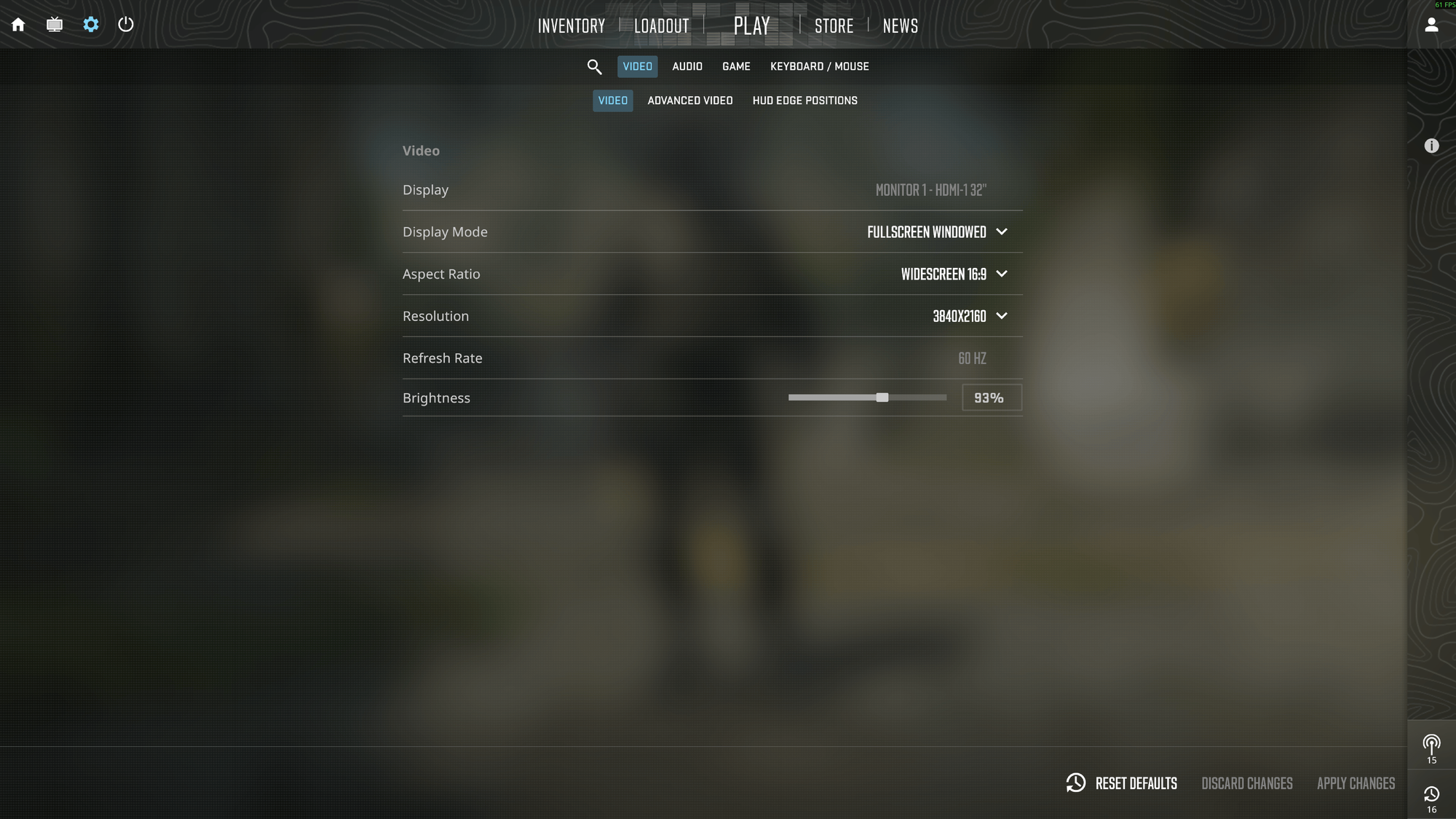
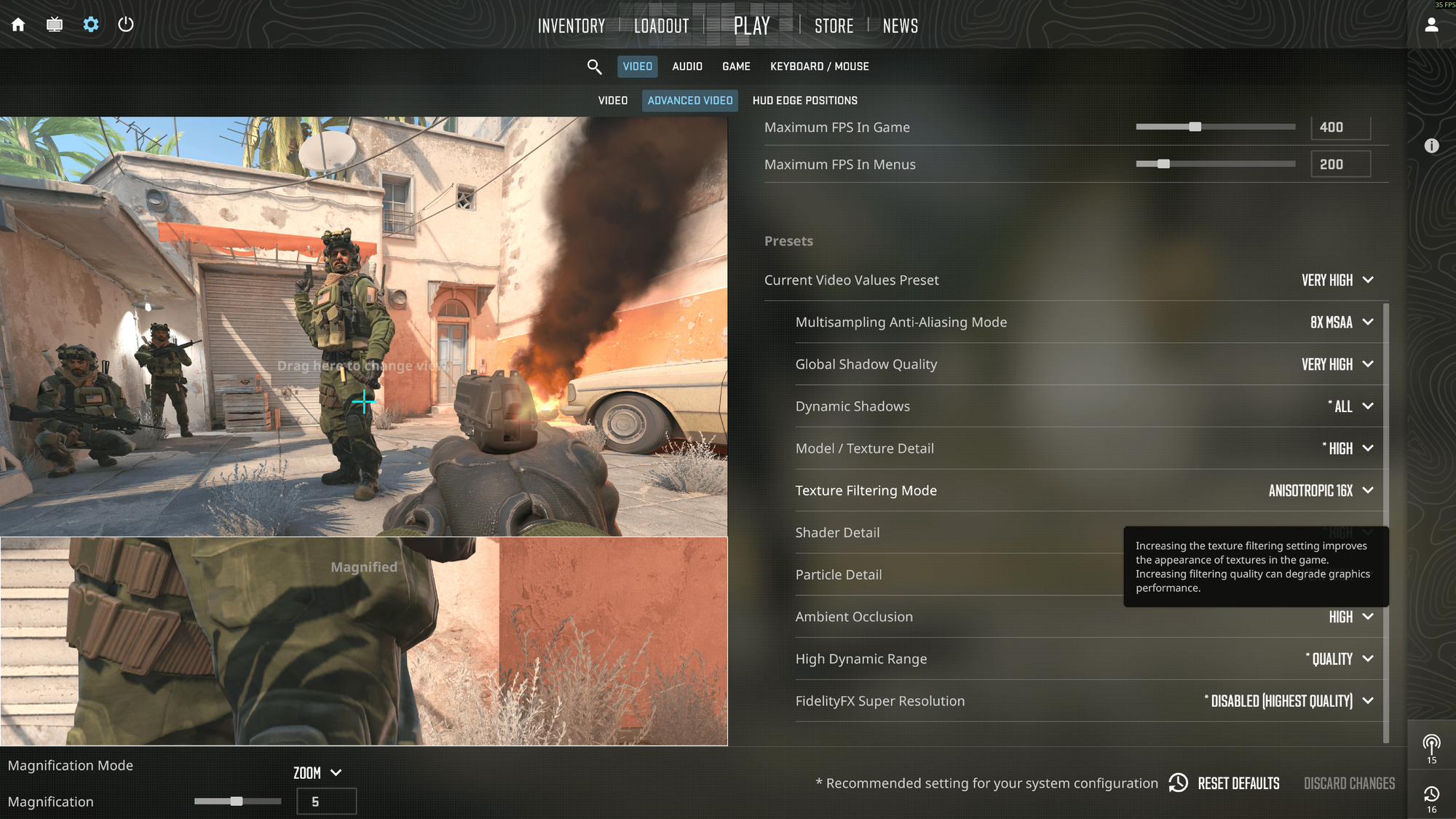
Game Setup:
All settings are set to Pre-Configured Very High.
8. The Results: Numbers vs Reality
Each test was executed 5 times to avoid phantom strikes in the results. Below is a simplified representation of what I observed with a short explanation:
| Run | PCIe | Gamemode | Gamemode Config | GPU Fan | Avg FPS | P1 FPS |
|---|---|---|---|---|---|---|
| 1 | 00:04 | OFF | N/A | 70% | 27.7 | 19.2 |
| 2 | 00:04 | OFF | N/A | 70% | 29.6 | 21.1 |
| 3 | 00:04 | OFF | N/A | 70% | 30.9 | 21.4 |
| 4 | 00:04 | OFF | N/A | 70% | 30.4 | 21.8 |
| 5 | 00:04 | OFF | N/A | 70% | 29.3 | 19.8 |
| 6 | 00:04 | ON | Default | 70% | 80.7 | 38.0 |
| 7 | 00:04 | ON | Default | 70% | 80.8 | 37.8 |
| 8 | 00:04 | ON | Default | 70% | 81.0 | 39.7 |
| 9 | 00:04 | ON | Default | 70% | 80.9 | 38.5 |
| 10 | 00:04 | ON | Default | 70% | 80.5 | 36.5 |
| 11 | 00:04 | ON | Custom – Basic | 70% | 82.3 | 40.9 |
| 12 | 00:04 | ON | Custom – Basic | 70% | 81.0 | 38.9 |
| 13 | 00:04 | ON | Custom – Basic | 70% | 81.1 | 38.3 |
| 14 | 00:04 | ON | Custom – Basic | 70% | 81.3 | 41.7 |
| 15 | 00:04 | ON | Custom – Basic | 70% | 81.0 | 39.6 |
| 16 | 00:04 | ON | Custom – Advanced | 70% | 81.1 | 43.1 |
| 17 | 00:04 | ON | Custom – Advanced | 70% | 81.2 | 39.6 |
| 18 | 00:04 | ON | Custom – Advanced | 70% | 80.7 | 42.6 |
| 19 | 00:04 | ON | Custom – Advanced | 70% | 81.5 | 42.5 |
| 20 | 00:04 | ON | Custom – Advanced | 70% | 80.7 | 38.4 |
| 21 | 00:04 | ON | Custom – Advanced | 100% | 84.3 | 43.7 |
| 22 | 00:04 | ON | Custom – Advanced | 100% | 83.7 | 40.2 |
| 23 | 00:04 | ON | Custom – Advanced | 100% | 83.0 | 43.3 |
| 24 | 00:04 | ON | Custom – Advanced | 100% | 83.6 | 45.1 |
| 25 | 00:04 | ON | Custom – Advanced | 100% | 83.6 | 39.8 |
| 26 | 00:03 | ON | Custom – Advanced | 100% | 87.7 | 45.9 |
| 27 | 00:03 | ON | Custom – Advanced | 100% | 87.7 | 47.9 |
| 28 | 00:03 | ON | Custom – Advanced | 100% | 88.4 | 43.4 |
| 29 | 00:03 | ON | Custom – Advanced | 100% | 88.2 | 47.0 |
| 30 | 00:03 | ON | Custom – Advanced | 100% | 88.0 | 41.7 |
Run 1-5
Launch Options are:
__GL_SYNC_TO_VBLANK=0 PROTON_NO_ESYNC=1 PROTON_NO_FSYNC=1 vblank_mode=0 %command%No Gamamode.
The result is: Avg. FPS and the P1 are: 29.48 / 20.66.
Run 6-10
Launch Options are (just gasmemoderun added to the options):
__GL_SYNC_TO_VBLANK=0 PROTON_NO_ESYNC=1 PROTON_NO_FSYNC=1 vblank_mode=0 gamemoderun %command%The default gamemoded.ini used from /usr/share/gamemode/gamemode.ini.
The result is: Avg. FPS and the P1 are: 80.78 / 38.1.
Run 11-15
Same Launch Options, but this time I had my own basic gamemoded.ini file; you can review it here. This fine is still not specific to my system, and I think anyone can apply it to their system.
The result is: Avg. FPS and the P1 are: 81.34 / 39.88.
Run 16-20
Same Launch Options, but this time I had my own very customized gamemoded.ini file; you can review it here. This file is particular to my setup and will work only on the same or similar hardware.
The result is: Avg. FPS and the P1 are: 81.04 / 41.24.
Run 21-25
I kept everything same just turned the fans on both GPU at 100% speed to keep the GPUs as cool as posible.
The result is: Avg. FPS and the P1 are: 83.44 / 42.42.
Run 26-30
I kept the GPU fans at 100%, but this time I connected my monitor to the first graphics card rather than the second (Device 1 -> Device 0).
The result is: Avg. FPS and the P1 are: 88.0 / 45.18.
9. Why CS2 Reacts So Well to GameMode
This is where Counter-Strike really shines.
CS has always been:
- extremely well-optimized
- cross-platform friendly
- sensitive to scheduling and latency
It’s clearly written by people who:
- understand system-level behavior
- respect different operating systems
- know how to scale across hardware
As a result, CS2 reacts very well to GameMode tweaks.
Not because GameMode is special — but because the game itself is.
10. Config Files and Tweaks Used
For transparency, I used three configurations during testing:
- a basic GameMode setup, default file with the installation
📄 Code: GameMode config (default), here.
- a customized one, but not too much, and it should work on most systems:
📄 Code: GameMode config (basic), here.
- a very customized one, will work only on a specific system with specific hardware:
📄 Code: GameMode config (custom), here.
11. Final Thoughts: What I Actually Learned
After several evenings of testing — sometimes just 10–20 minutes at a time — one conclusion became very clear.
GameMode doesn’t make your system faster.
It makes it behave better.
And in games like Counter-Strike 2, that difference is absolutely noticeable.
13. Should You Use GameMode?
My answer remains the same as before:
- If you’re on Linux → yes
- If you want consistency → yes
- If you expect miracles → no
- If you enjoy understanding your system → absolutely
GameMode is not about FPS bragging rights.
It’s about control.
And for me, that’s reason enough to keep it enabled.
Enjoy the games — and don’t panic. 🎮