

Back in those distant and slightly chaotic times when I was first assembling my AI server, I already knew two things.
First: I had no idea what I was doing as well as I thought I did.
Second: someday, somehow, I would want a separate system for games.
That idea didn’t arrive loudly. It didn’t demand attention or a credit card. It just sat quietly in the back of my mind, patiently waiting while I made every possible mistake building my first server.
You can read the full story of that adventure elsewhere (and I highly recommend it if you enjoy learning what not to do). More about building my first budget friendly Ai server you can read in the Hardware section of my blog. The short version is simple: there were many mistakes, all of them educational, and most of them expensive. The good news is that I now have clear plans for a much better-designed next server.
But before that sensible future arrives, I wanted to experiment.
With newer technologies.
With modern hardware.
With things that marketing slides describe as “ultra” and “next generation”.
And so, this system was born.
Of Course It’s a Gaming PC (And Of Course It Isn’t)
Although this machine is officially a gaming system, pretending that it will only run games would be dishonest. Like all computers in my house, it runs Linux, and like all Linux machines, it will inevitably end up doing far more than originally planned.
Still, games are part of the mission. So is curiosity.
One of my main goals was to finally see what Intel’s Ultra processors are like in the real world, far away from carefully staged benchmarks. I chose an Intel Ultra 7, 2nd generation, with eight performance cores, sixteen threads, and four additional efficiency cores. On paper, it looks like the kind of CPU that wants to do many things at once—and I was more than happy to help it try.
A Brief Encounter With DDR5 Reality
I also wanted to jump into DDR5 memory as quickly as possible. Not cautiously. Not “maybe later.” Now.
Reality, however, had its own opinion about DDR5 pricing.
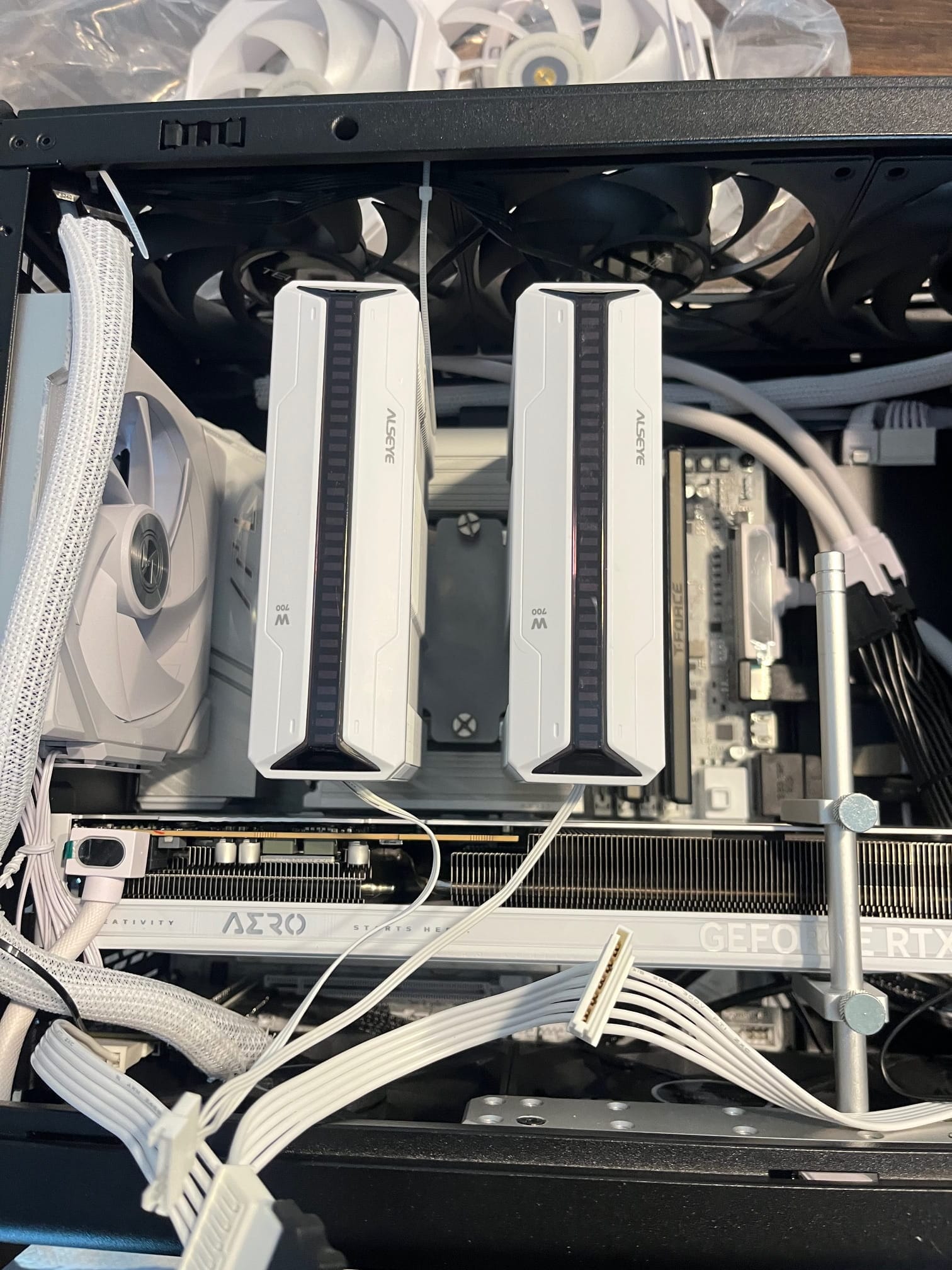
Instead of the memory capacity I originally dreamed about, I settled on 48 GB of DDR5 running at 8200 MHz. Not perfect, but fast enough to feel modern and large enough to avoid awkward pauses while the system thinks deeply about its life choices, just not quite ideal for running LLMs if I decide to go down that rabbit hole.
Storage: Fast Where It Matters, Big Where It Counts
Storage is one area where I resisted the urge to reinvent everything. The setup is familiar, proven, and most importantly, sensible.
The root filesystem lives on a very fast 1 TB NVMe PCIe drive, handling the OS, caches, and all the things that should never feel slow. A second NVMe drive, slightly less aggressive, is dedicated to my home directory—which, by the end of the day, somehow manages to accumulate… everything.
For actual data—AI models, games, and files that are too important to delete but too annoying to sort—I added two 2 TB SATA drives. They may not be flashy, but they are reliable, spacious, and blissfully unconcerned with benchmarks.
The Video Card Compromise
The graphics card choice was intentionally modest. I went with the most affordable NVIDIA option available at the time: an RTX 5060 with 8 GB of GDDR7 memory.
This was never meant to be the final GPU. It’s more of a placeholder—a promise to the future that one day, when circumstances align, other cards will take their turn in this system.
For now, it does the job. And it does it quietly.
Small Case, Big Decisions
I have a soft spot for massive machines. My current system proudly lives under my desk, large enough to qualify as furniture. This time, though, I went in the opposite direction.
I chose one of the smallest cases on the market that could still comfortably fit my motherboard and leave enough room for a proper GPU. It’s compact, practical, and doesn’t look like it belongs in a server room—which is already a win.
Air, Not Water (Because I Like Sleeping Peacefully)
I still cannot fully trust liquid cooling. No matter how many reassurances I hear, my brain insists on imagining leaks at the worst possible moment.
So this system is air-cooled only.
Three fans pull cool air in from the bottom, three push warm air out through the top, another fan assists from the back near the CPU, and one more quietly feeds fresh air from the front under the power supply. The result is a beautifully balanced airflow: four fans in, four fans out, and no drama.
Power for the Present (and the Future)
To keep everything calm and stable, I installed a 1000-watt power supply. It’s more than enough for the current hardware and leaves a comfortable margin for future upgrades—especially in the GPU department.
Overkill? Maybe.
Regret? Unlikely.
Final Thoughts Before Launch
This system is not just a gaming PC. It’s a playground, a test platform, and a reminder that curiosity is a perfectly valid reason to build a computer.
It may not be perfect. No system ever is. But it is ready—for games, experiments, and whatever unexpected use case appears next.
And as any good guide through the galaxy would advise:
Don’t panic.
And always know where your towel is.