

1. Introduction: How Crysis Returned to Haunt Me (Again)
After I published my first impressions of Crysis Remastered running on my AI server with dual NVIDIA RTX 2080 Ti cards, I thought my journey with this game was finished. I tested it, I wrote about it, I took screenshots, and I moved on.
Or so I believed.
But then something happened.
Almost every evening—even after long workdays, chores, and writing blog posts. I found myself launching the game “just for 15 minutes.” Sometimes it was 20. Sometimes an hour. And sometimes I found myself creeping through the jungle at 1:30 AM thinking:
“Why am I still here? I was supposed to go to sleep three hours ago…”
Crysis does that.
Especially when it runs well enough to be enjoyable but badly enough to bother you.
And that is exactly what happened: the game ran, but it ran wrong.
Very wrong.
So this post became a deep dive into everything broken, everything strange, and everything I tried to fix.
2. The Setup: My Linux Gaming Monster
I’ve mentioned this before, but let’s recap the hardware:
- AI Server Tower
- Dual NVIDIA RTX 2080 Ti GPUs (still no NVLink connection)
- Intel Xeon CPU
- Ubuntu 25.10 Noble Numbat
- NVIDIA 585 drivers
- Steam with Proton 7
- 4K display (native 3840×2160)
This machine eats Blender, AI workloads, Python scripts, Unity builds, and video rendering like breakfast cereal.
So, naturally, I wanted to see how Crysis behaved on it.
Spoiler: It behaved like a teenager—constantly doing the opposite of what I asked.
3. First Launch: A Beautiful Disaster
The game launched. This alone was a good sign.
I experimented with Proton versions as usual:
- Proton Experimental — no
- Proton GE (latest) — no
- Proton 8 — no
- Proton 7 — YES
For a 20-year-old game running through a compatibility layer on Linux, I actually expected that. Proton 7 is the sweet spot for many older DirectX 9/10/11 games.
So far, so good.
Then the problems began.
4. The Unlimited Menu FPS… and the Very Limited In-Game FPS
Right after launching the game, I opened the settings menu and nearly fell off my chair.
In the corner of the screen, MangoHud proudly displayed:
950–1100 FPS
I thought:
“Wow, CryEngine really is optimized.”
But the moment I actually started the game—bam:
30 FPS. Sometimes 25. Sometimes 10. Never more than 35.
At first, I assumed I just cranked the graphics too high.
Ultra preset? Sure.
Very High? Okay.
High? Still okay.
Medium?
Low?
No matter what I chose… 30 FPS.
Like it was glued to the number.
Even stranger: the visual difference between Ultra and Low was almost nonexistent. I compared mountains, water reflections, lighting, caves, foliage…
I even took multiple screenshots to compare pixel by pixel:
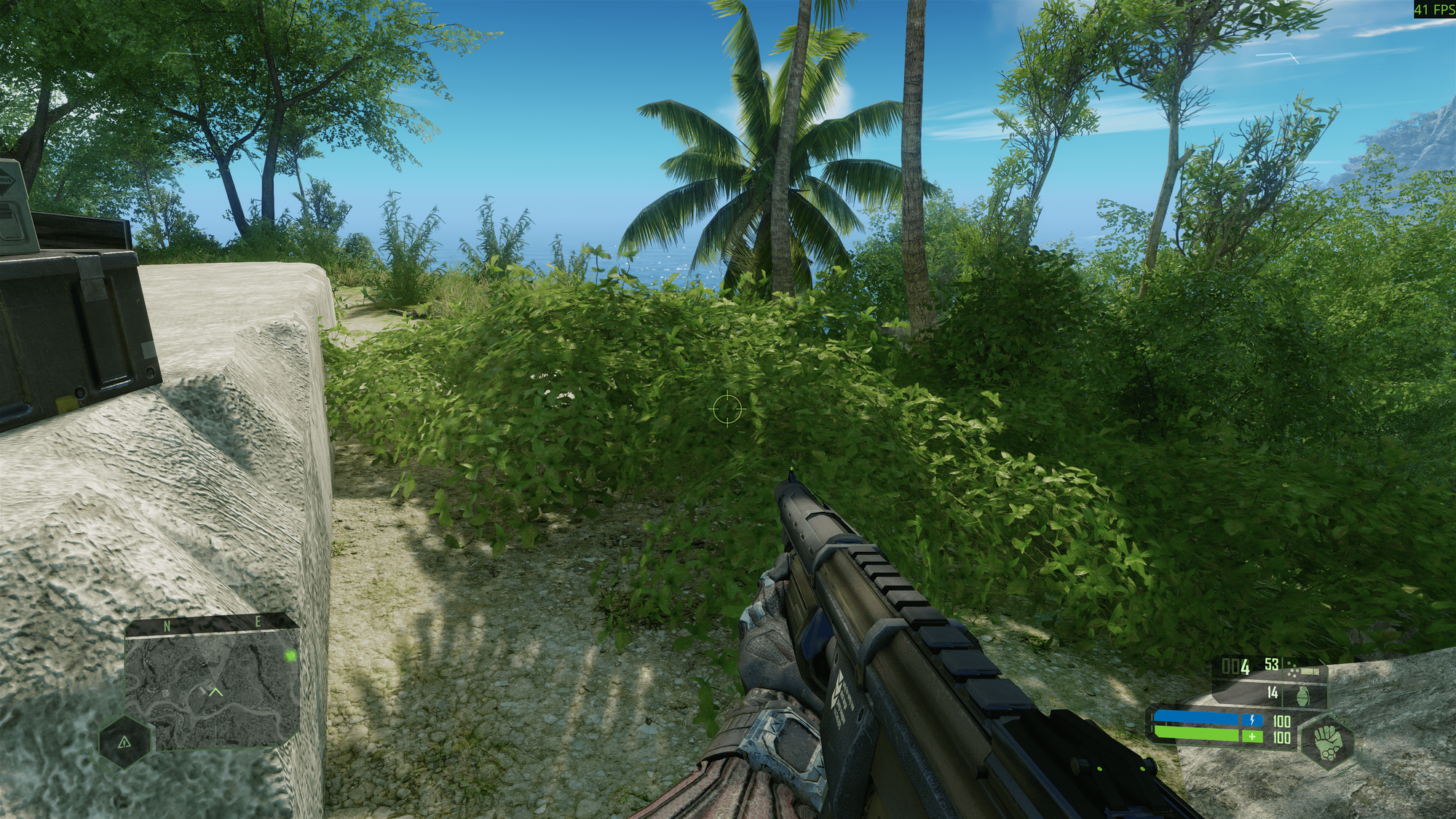
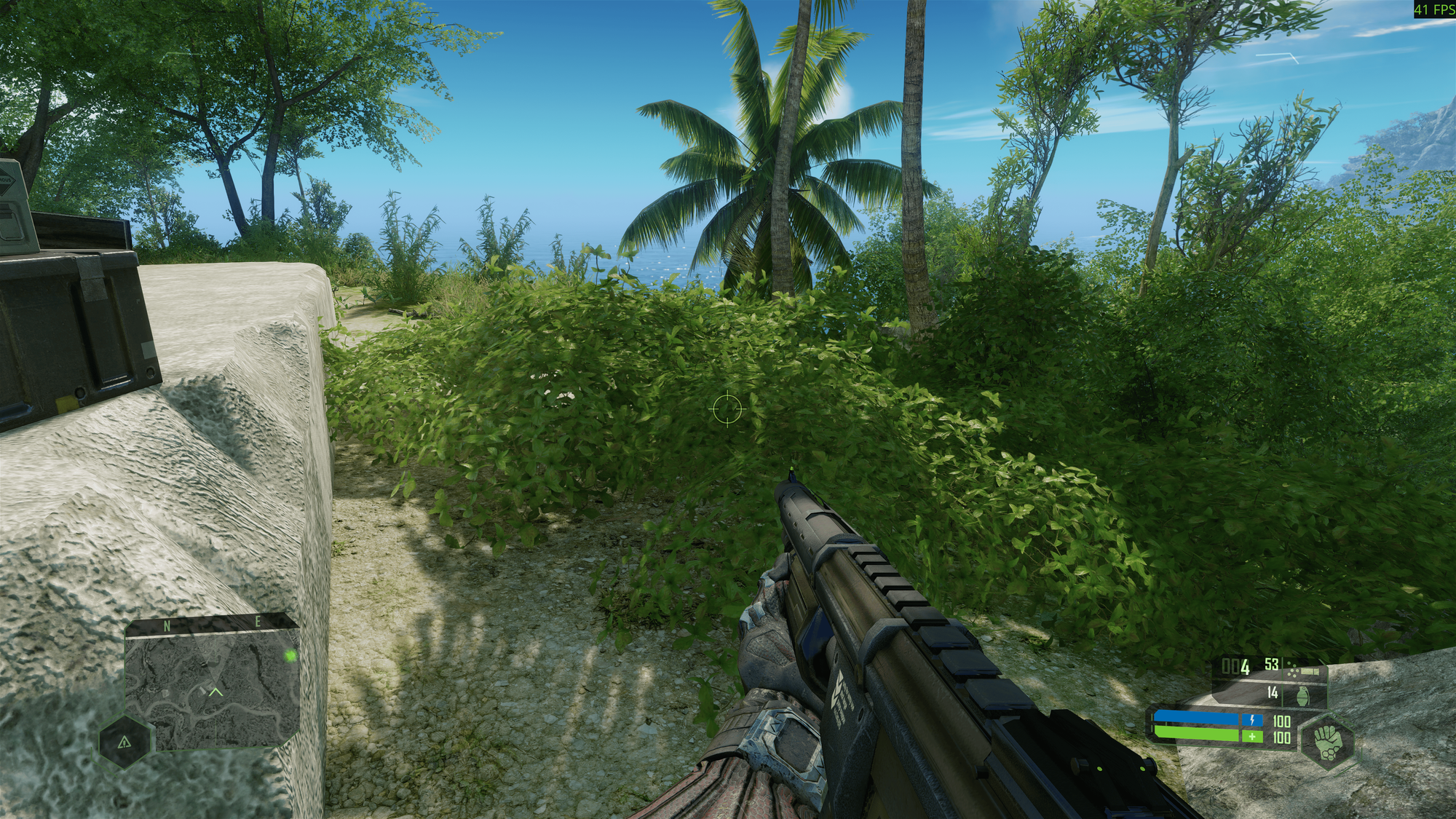
View of Crysis
And another scene:
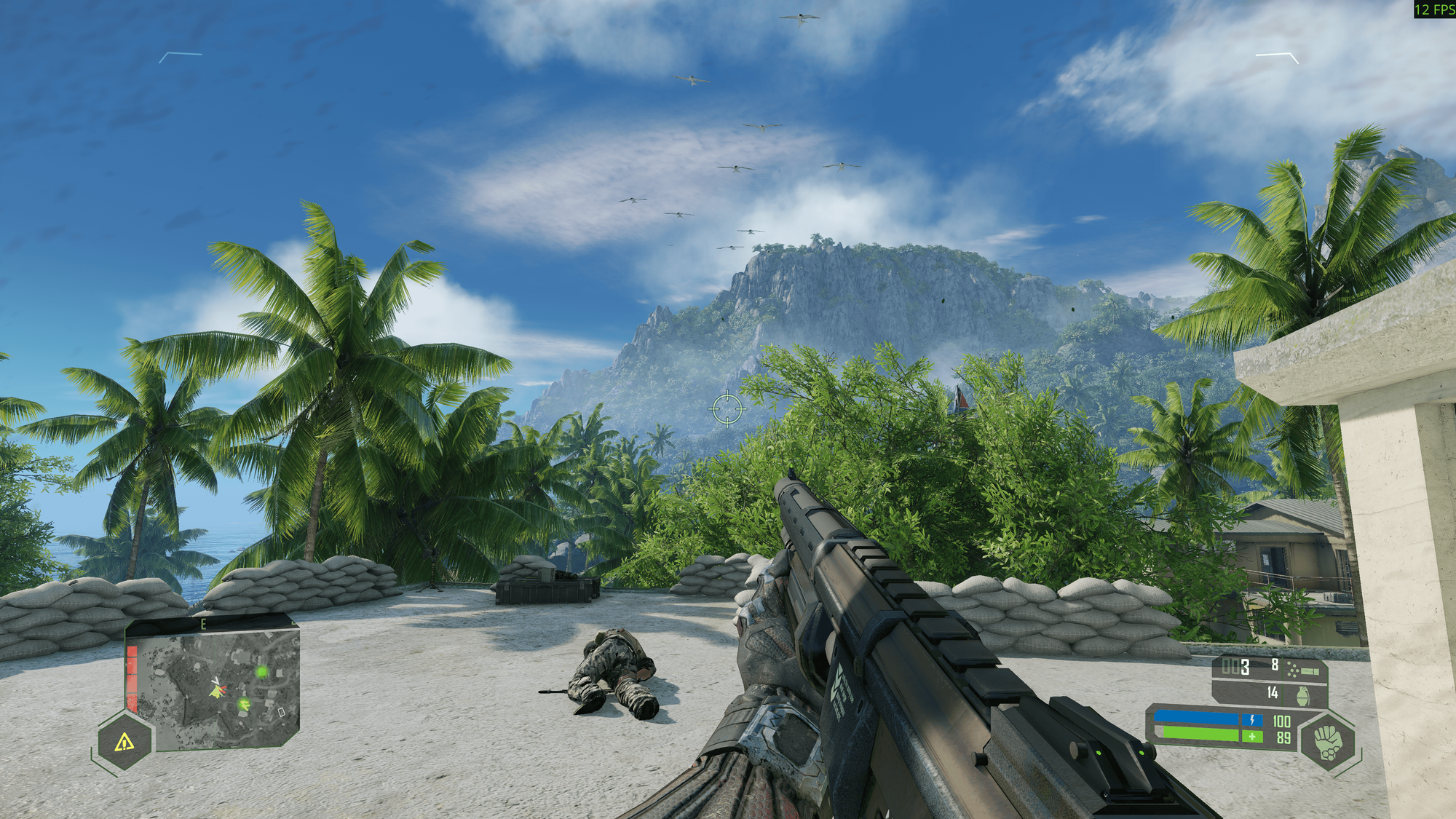
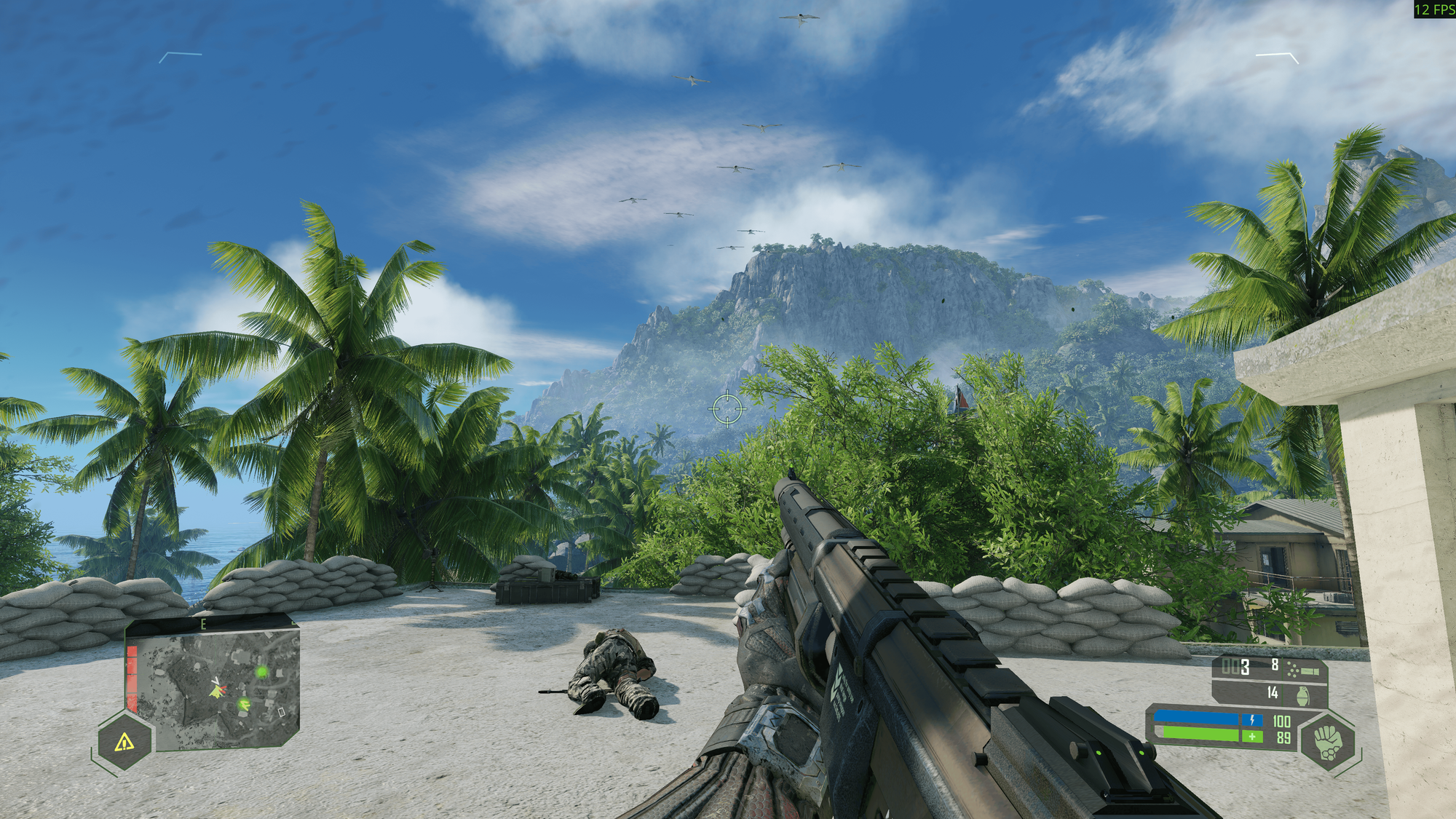
More View of Crysis
And one more:
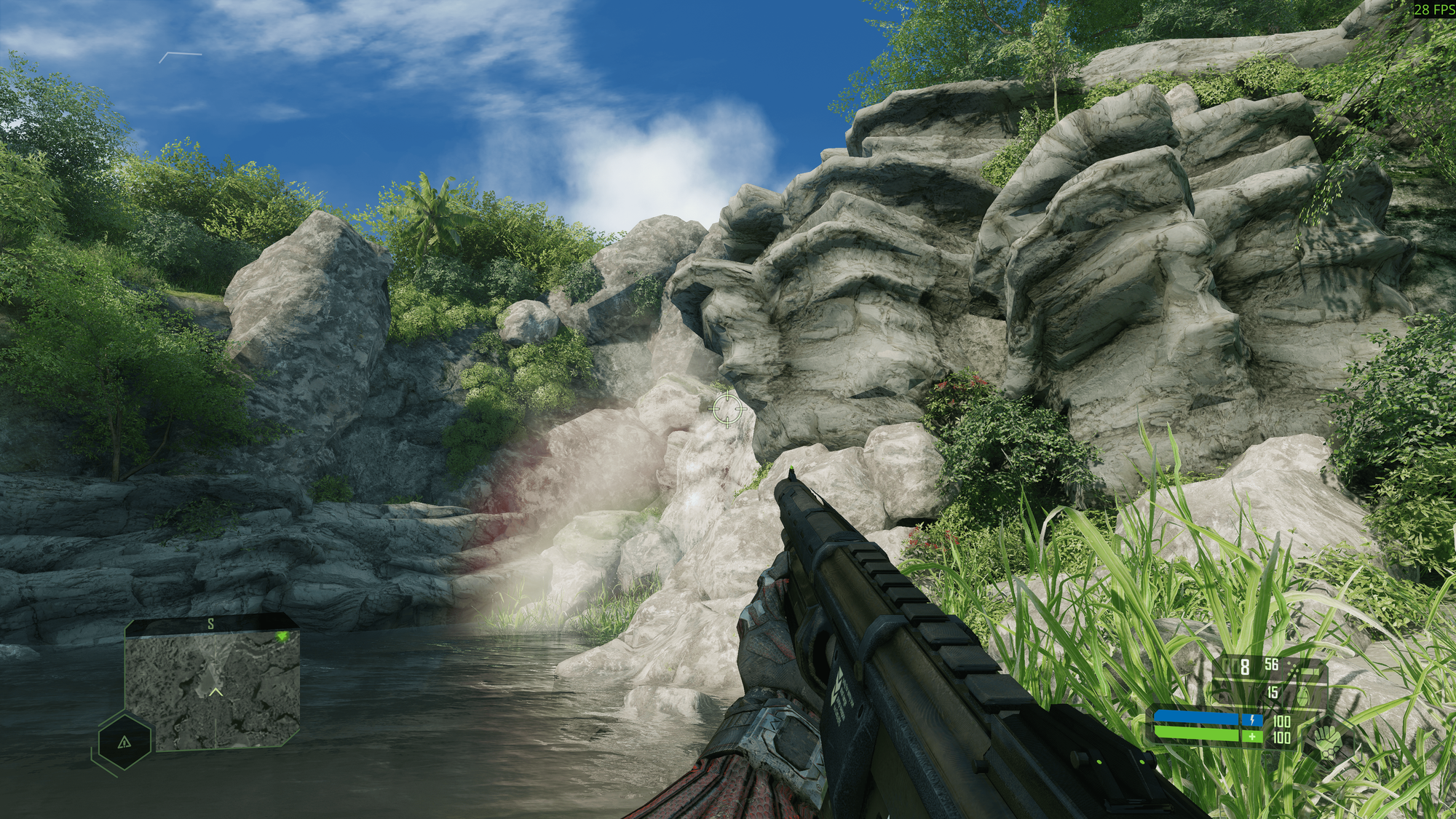
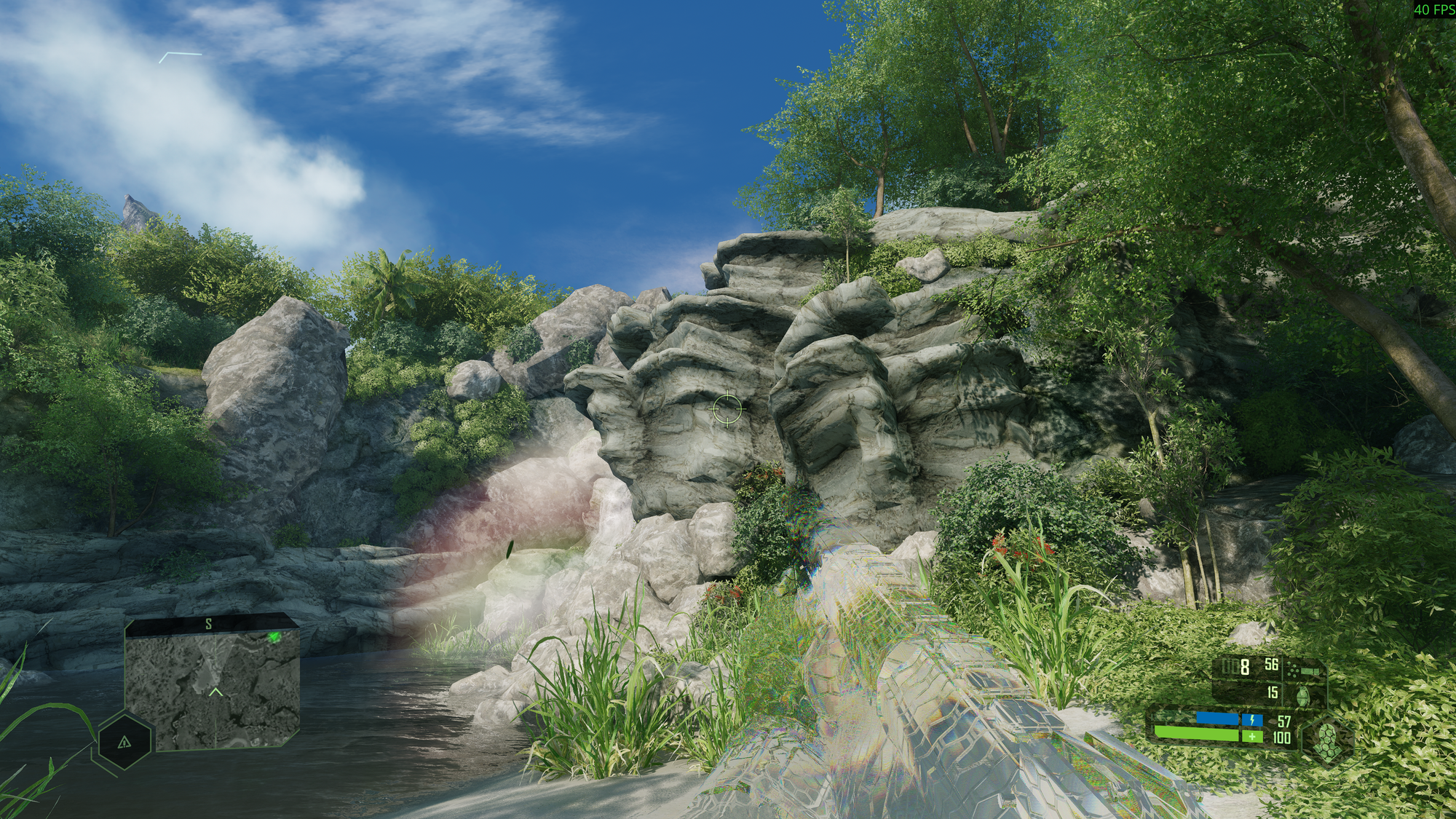
ANd more views of Crysis
The results?
Almost no difference. At all.
This is the moment when Crysis decided to whisper:
“You thought you could change my settings? Foolish human.”
5. Resolution Hell: The 8K Surprise
Because I have dual GPUs, the system exposes some very high-resolution modes.
Crysis took that personally.
The moment the game launched the first time, it picked:
7680×4320 (8K)
Not a problem for a modern engine…
But Crysis Remastered?
8K = slideshow.
I got 1 frame per second, and not even a good one.
When I opened the resolution menu to fix this, I expected to simply choose:
- 4K
- 1440p
- 1080p
But instead?
A list of… let’s call them “potato resolutions”:
- 1024×768
- 1600×900
- 1280×720
- And that’s it
No 4K.
No 1440p.
Nothing above 720p.
Classic CryEngine Linux behavior.
So I had to force the resolution manually.
6. Command-Line Fixes: Wrestling With the Engine
To force fullscreen, disable windowed mode, and override the resolution, I used Steam launch options:
-masses 1 -windowed 0 -fullscreen 1 -r_width 3840 -r_height 2160
Let’s break this down:
- -windowed 0 → forces game out of windowed mode
- -fullscreen 1 → forces fullscreen
- -r_width / -r_height → manual resolution override
- -masses 1 → this one is undocumented; likely a leftover CryEngine parameter used by modders
And suddenly, the game launched in proper 4K fullscreen at 30 FPS.
7. Fullscreen Switching: Escape Room Simulator
Then came one of the weirdest problems:
Alt + Enter simply does not work. I mean, it doesn't work as expected: you can see the screen in one mode only, then switch the presentation mode to windowed, it just disappears. But you can click on the icon of the game in application panel, bring it back in focus, and click Alt + Enter again, to switch back to Fullscreen mode.
When I first launched the game, it started in proper full-screen.
But the moment I tried switching to windowed mode (because I needed to drag something), everything broke.
What I saw:
- The game window disappeared from the screen
- But remained visible on the GNOME panel as an active application
- I could hear it running
- I could even click blind buttons by guessing
- But the window itself? Gone. Nowhere to be found.
It was like Crysis minimized itself into another dimension.
After three attempts, I rebooted the entire system because I literally couldn’t get the window back.
I called this moment:
“The Schrödinger’s Crysis Window Experience.”
You both have a game window, and you don’t have it.
8. The Stutter Problem: From Smooth to Slideshow
Another annoying issue: random micro-stutters.
Sometimes the game ran at stable 30 FPS.
Then suddenly—BAM—down to 10 FPS for a few seconds.
Then back up.
Then down again.
It didn’t matter if:
- Settings were Ultra
- Settings were Low
- Textures were set to minimum
- Shadows were disabled
- Water quality was changed
- Effects were reduced
- Foliage density was lowered
Nothing changed the performance.
That’s when I realized:
Crysis isn’t changing anything on the fly.
It is using cached shaders, textures, and compiled assets.
9. Digging Deeper: Crysis Has a Cached Bottleneck
Crysis stores a lot of precompiled assets in:
/***/Steam Library/steamapps/shadercache/1715130/
Changing settings does nothing until these files are regenerated.
I deleted them manually:
rm -rf /***/Steam Library/steamapps/shadercache/1715130/*
(Insert screenshot placeholder here)
And guess what?
The game rebuilt the cache on startup.
It took a full minute…
But then I launched into the game.
Performance?
Still 30 FPS.
But…
The stutters were mostly gone.
So at least one problem was solved.
10. Conclusion: The Game That Runs, But Doesn’t Obey
After weeks of testing, experimenting, failing, retrying, and launching Crysis almost every evening, here’s the final verdict:
✔ The game works on Linux
✔ The game looks great
✔ The game is playable
✔ Stutters can be reduced
❌ Settings barely change anything
❌ Resolution only offers very low resolutions in the game options
❌ Fullscreen/window mode is cursed
❌ FPS is capped at around 30, no matter what (maybe related to my setup)
❌ Engine is extremely single-threaded
Crysis Remastered runs well enough to enjoy, but badly enough to remind you:
Yes, this is CryEngine. Yes, you are on Linux. And yes, you will suffer.
Will I stop playing it?
Absolutely not.
I still launch it almost daily.
The jungle still looks gorgeous.
The nanosuit still feels powerful.
And the nostalgia is too strong.
Even at 30 FPS.